Letter with Name and keyring: a 3D-printed gift with no modelling
The hard part was always modelling. The generator builds the part from the name and the font; you only choose.
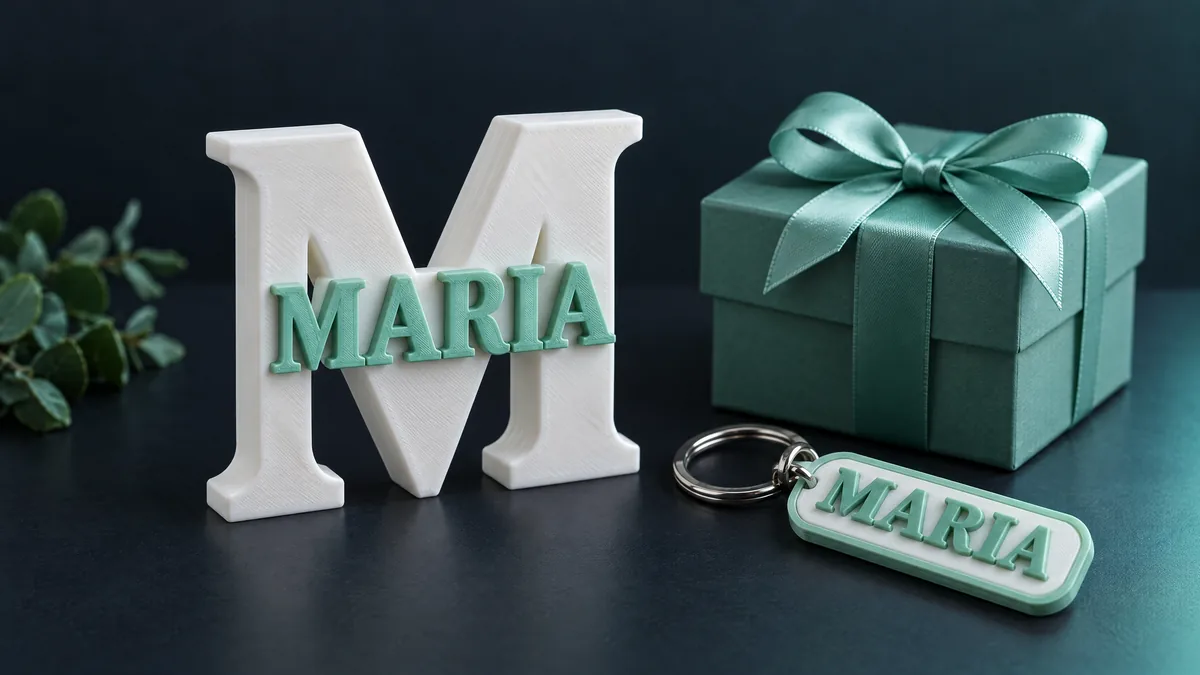
A 3D-printed gift with someone's name on it is the most common request at any print shop. The hard part was always modelling: aligning letters, fusing them to a base, getting the relief to the right thickness. The generator does that from the name and the font, and you only choose.
The three name templates
- Letter with Name. A large letter, the initial, with the name in relief on its face. It stands on its own. The birthday and office-desk gift.
- Keyring with name. The name becomes the tag itself, with the eyelet already in place, or sits on a rectangular plate. Small, prints in half an hour.
- 3D desk name. The whole name standing on a base, each letter supported. The classic for a work desk or a child's room.
How to make one
- Open parts to measure and pick the template.
- Type the letter or name and pick a font: there are 18, from cursive to geometric. The 3D preview rebuilds the part on every keystroke.
- Adjust size and thickness if you like. The limits already prevent letters too thin to print.
- Download the STL. The file comes out in print position.
Two colours without an AMS
On the Letter with Name and the Keyring, the raised name can be printed in another colour with a filament change at the right layer: the slicer pauses, you swap the spool, and the relief comes out in the second colour. The part is already designed at a height that makes this easy.
How to print
- Letter with Name: lying on its back on the bed, no supports; it stands up afterwards.
- Keyring: flat, 100% infill so it does not snap in a pocket.
- Desk name: letters flat, base flat, cyanoacrylate for assembly. Names with g, j, p or y rest on a single point and may need an extra drop of glue.
Cursive and accents
Cursive fonts come out as several islands (the dot on the i, the tilde, the space between words); the generator closes everything into a single piece. Accents work as expected.
No printer? The button at the end of the page sends the STL straight to a quote at NEO 3D Print, with the ILOVESTL coupon for 10% off the first print.