STL, OBJ, 3MF or STEP: which format to use for 3D printing
Every file becomes STL when sliced. That does not make STL the best format to store or share a model.

Every 3D file ends up as STL when it is sliced, but that does not make STL the best format to store, share or publish a model. Each of the big four carries something the others do not.
STL: shape only
A list of triangles, nothing else. No unit, no colour, no part names. It is the format every slicer and every print service accepts, which is why it remains the common currency. The problems come from what is missing: a file in inches arrives 25 times smaller, and a mesh with a hole gets refused by the slicer.
OBJ: shape with colour and texture
Born in animation and games. It stores the mesh, texture coordinates and a material file alongside. For printing, colour is dropped and four-sided faces become triangles. Good for receiving models from Blender and ZBrush; poor as a final print file.
3MF: STL with everything it lacked
A zip package with the mesh, the unit, the colours, separate objects and even the slicer settings. Bambu Studio, OrcaSlicer and PrusaSlicer save projects in it. It is the best format to keep a finished project. One caveat: those slicers' 3MF uses an extension most converters cannot read, and the STL comes out empty.
STEP: the exact part
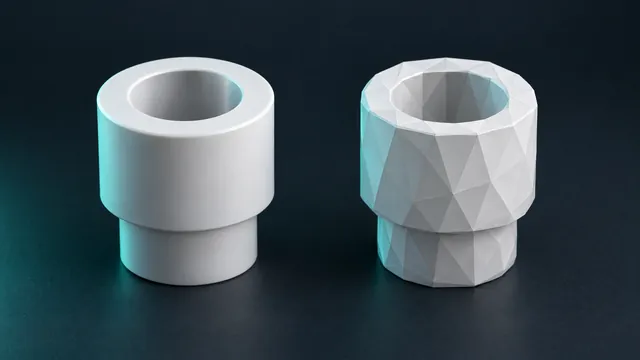
A CAD format. It stores exact surfaces, not triangles: an 8 mm hole is an 8 mm cylinder. It is what you send to a machine shop, open in another CAD and edit. To print, it has to become STL, and on that path curves become polygons.
So which one
- To slice and print: STL or 3MF. If your slicer takes 3MF, prefer it: it keeps the unit and avoids the tiny-part problem.
- To store the project: 3MF, with colours and settings inside.
- To edit later or send to engineering: STEP, whenever the part was born in CAD.
- To receive from a 3D artist: OBJ or FBX, then convert.
Rule of thumb. Keep the original in the format the part was made in (STEP from CAD, 3MF from the slicer) and generate the STL only when printing. STL is output, not the master file. See the ten formats the converter accepts.